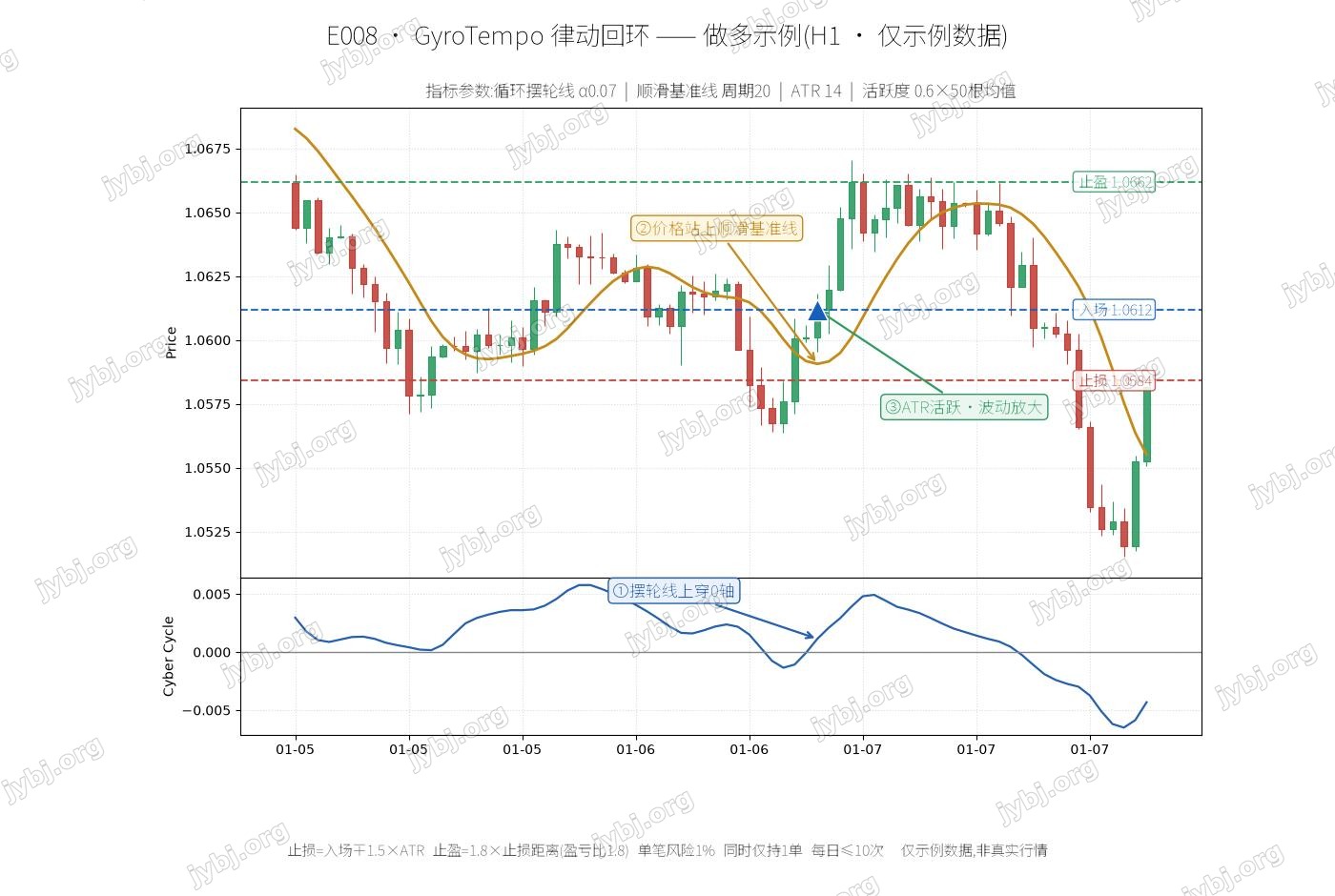
This article walks through E008, a E008 trading strategy. It covers the strategy logic, signals and parameter settings, and ships ready-to-use MT4 / MT5 EAs with source download and live position tracking so you can evaluate and deploy it fast.
Magic 1069
[tv_ticker]
Overview 策略概述
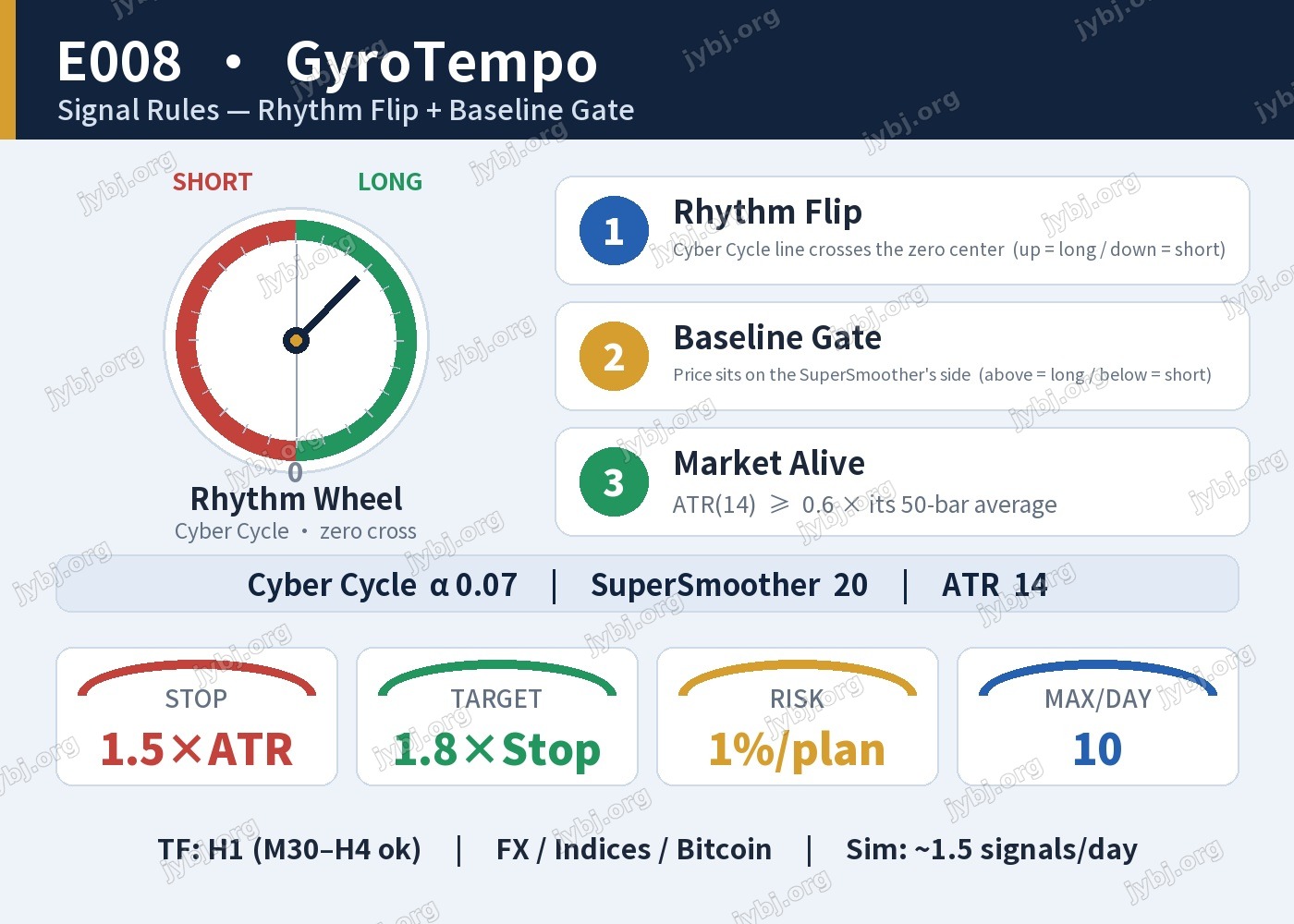
GyroTempo is a cycle-timing framework for the H1 timeframe. It listens to the market’s short-term rhythm with Ehlers’ Cyber Cycle oscillator, and only acts when that rhythm turns in the same direction the SuperSmoother baseline is pointing. A volatility “aliveness” check keeps it out of dead, rangebound noise.
Timeframe H1FX majorsIndicesBitcoinSimulated ~1.5 signals/day
The two engines
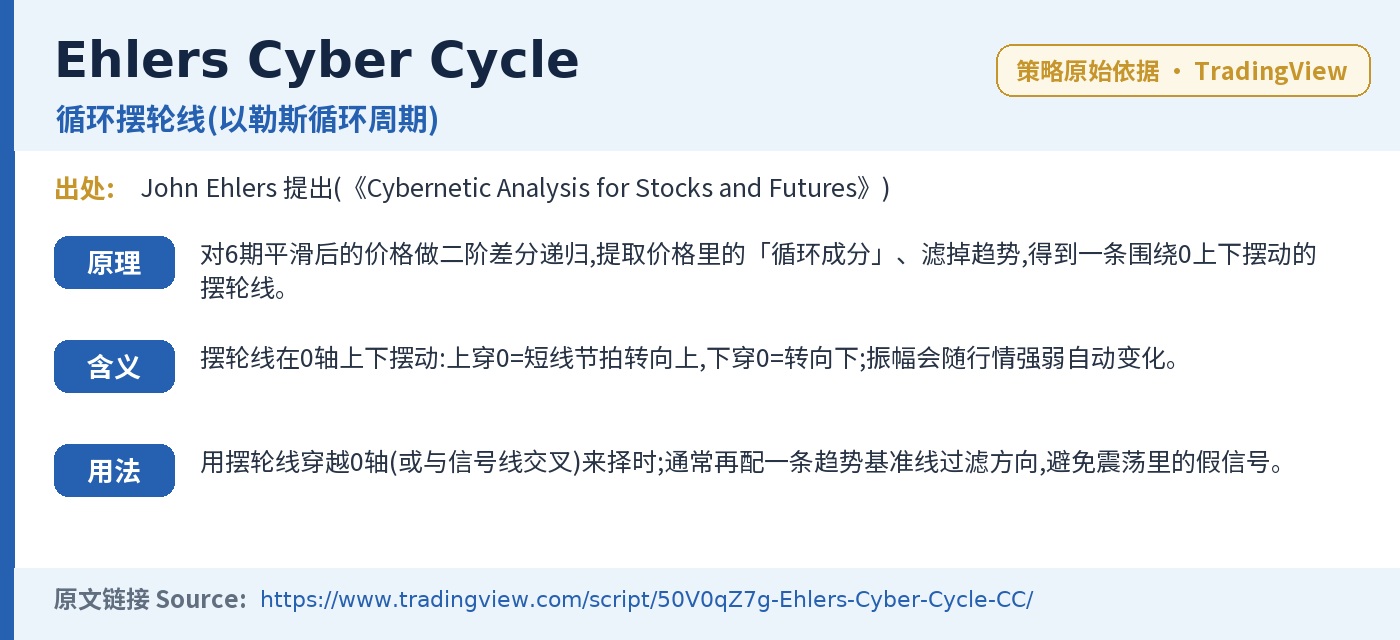
Rhythm Wheel · Cyber Cycle
A detrended oscillator that extracts the cyclic component of price and swings around a zero center. A cross of the zero line marks a turn in the short-term rhythm.
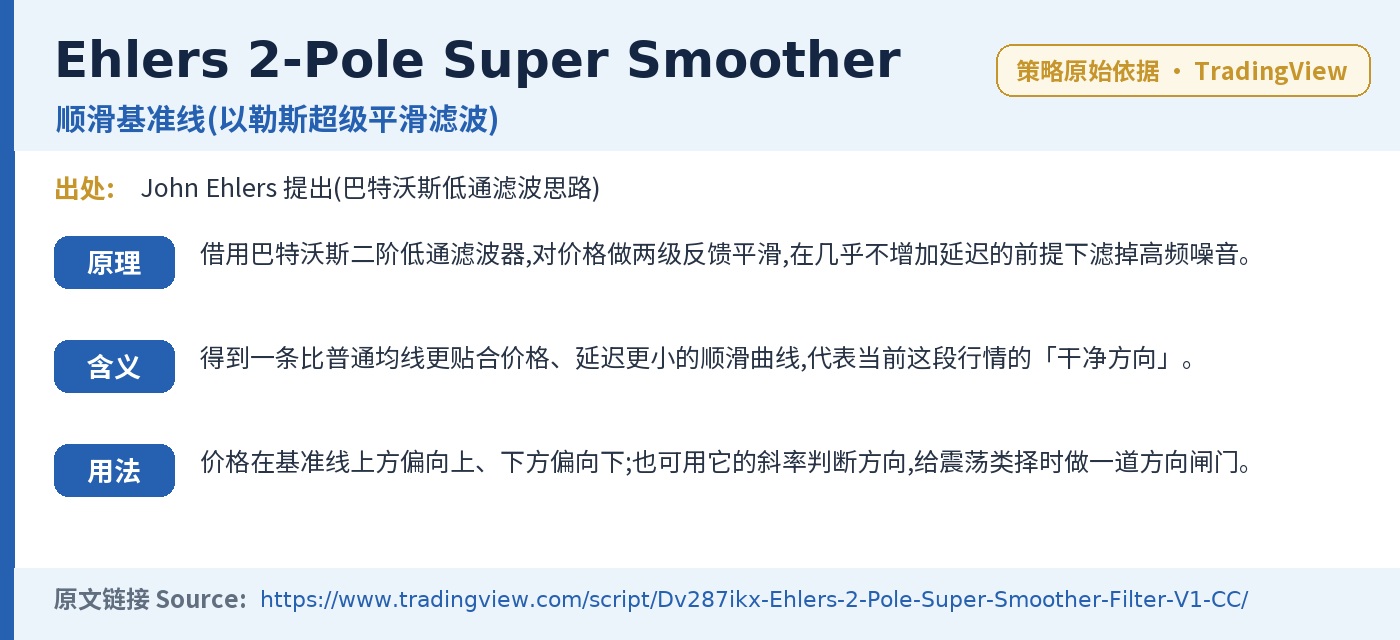
Smooth Baseline · SuperSmoother
A two-pole Butterworth-style filter that tracks price with far less lag than a moving average. Price above it favors up-plans; below, down-plans.
Signal rules 信号判断
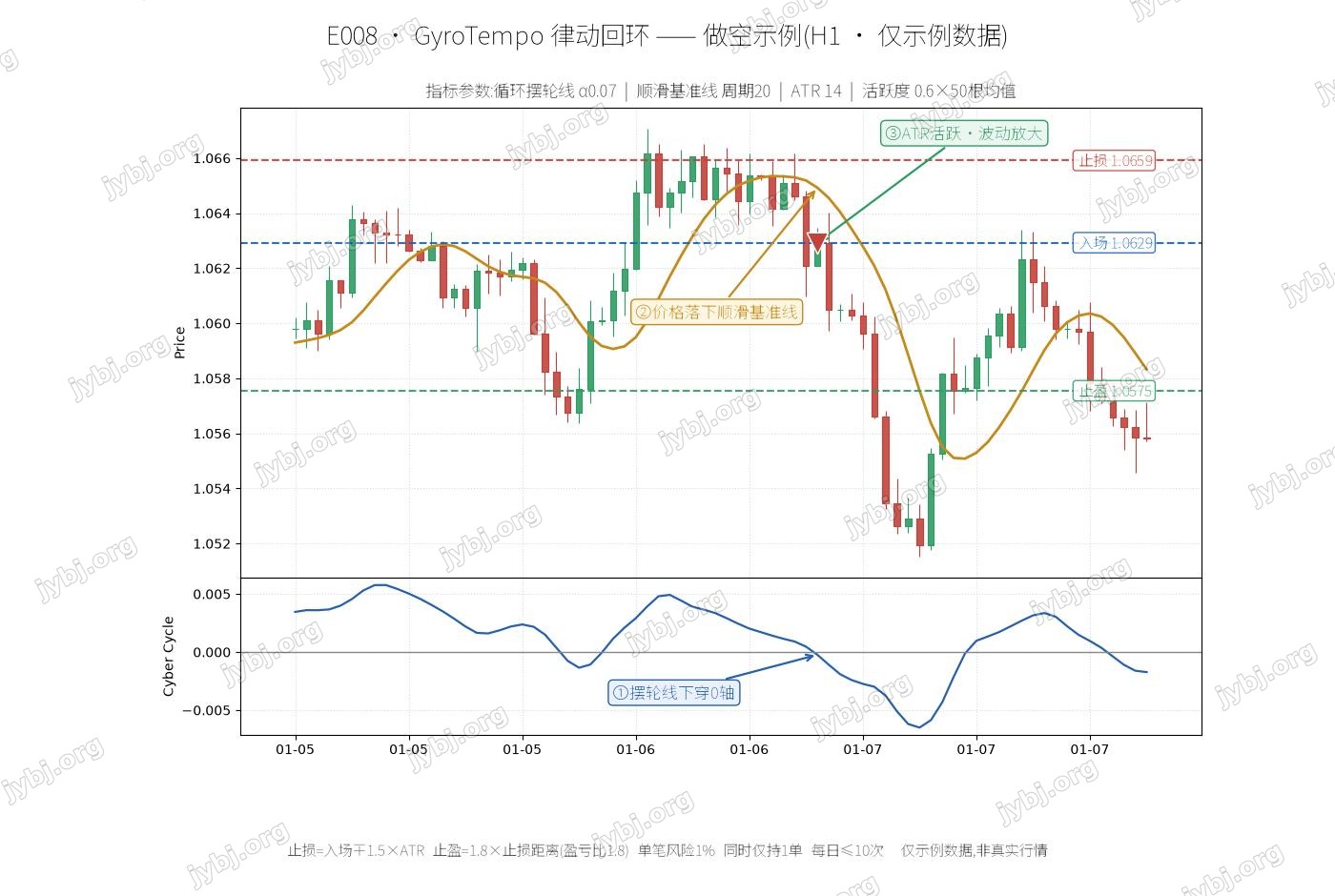
▲ Up opportunity
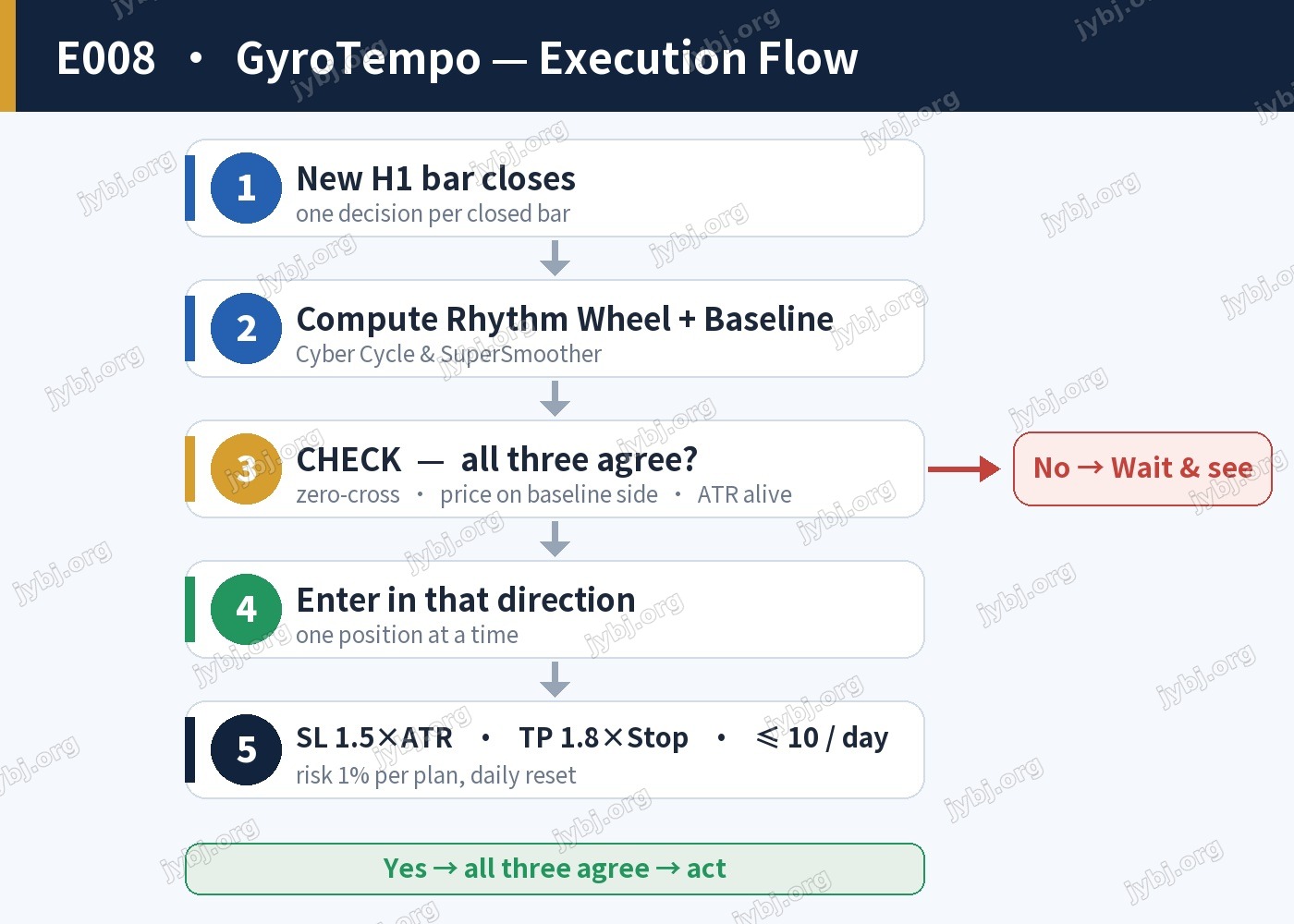
1. Cyber Cycle crosses above zero
2. Price sits above the SuperSmoother
3. ATR(14) ≥ 0.6 × its 50-bar average
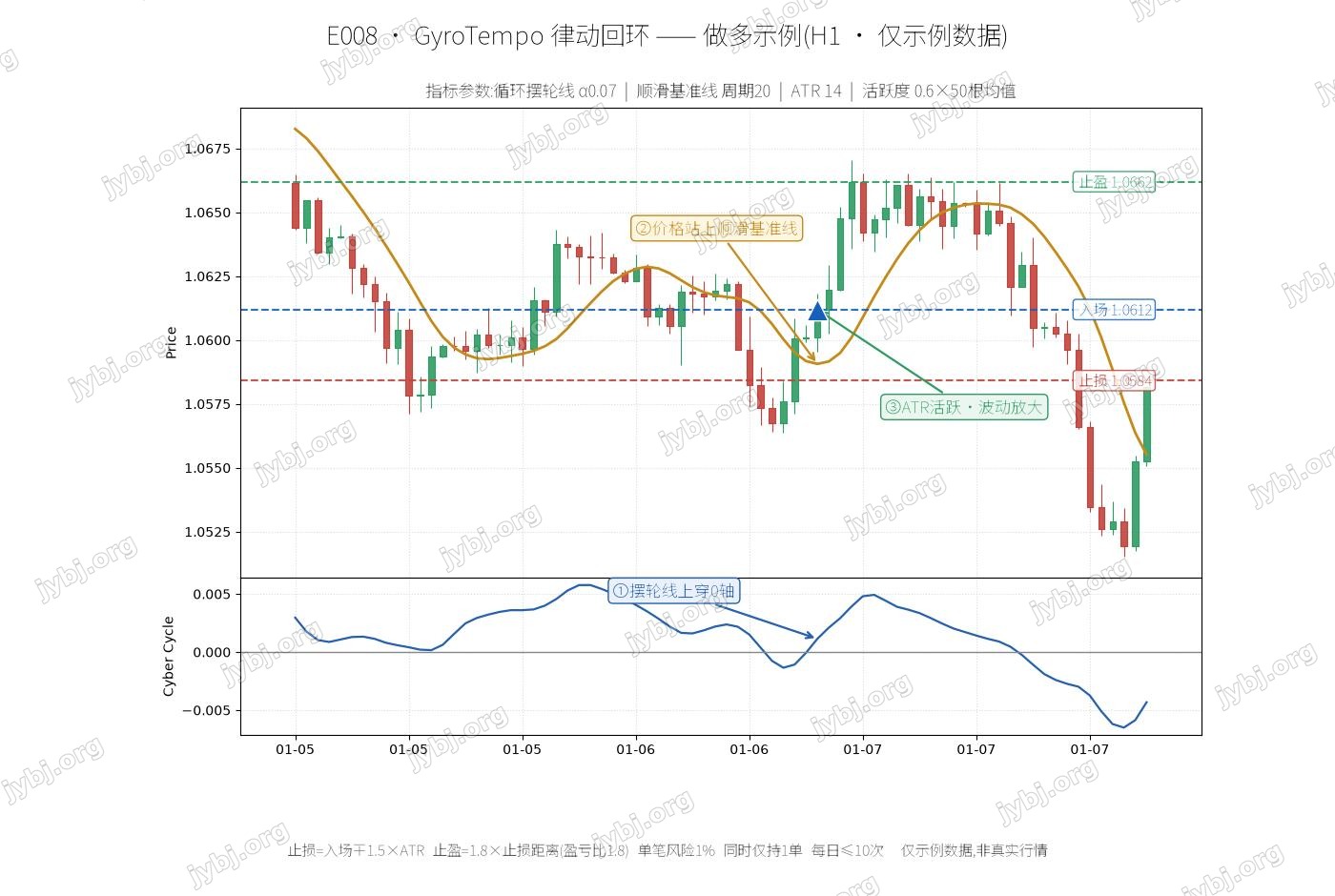
▼ Down opportunity
1. Cyber Cycle crosses below zero
2. Price sits below the SuperSmoother
3. ATR(14) ≥ 0.6 × its 50-bar average
Signal dashboard — rhythm flip + baseline gate
[tv_calendar]
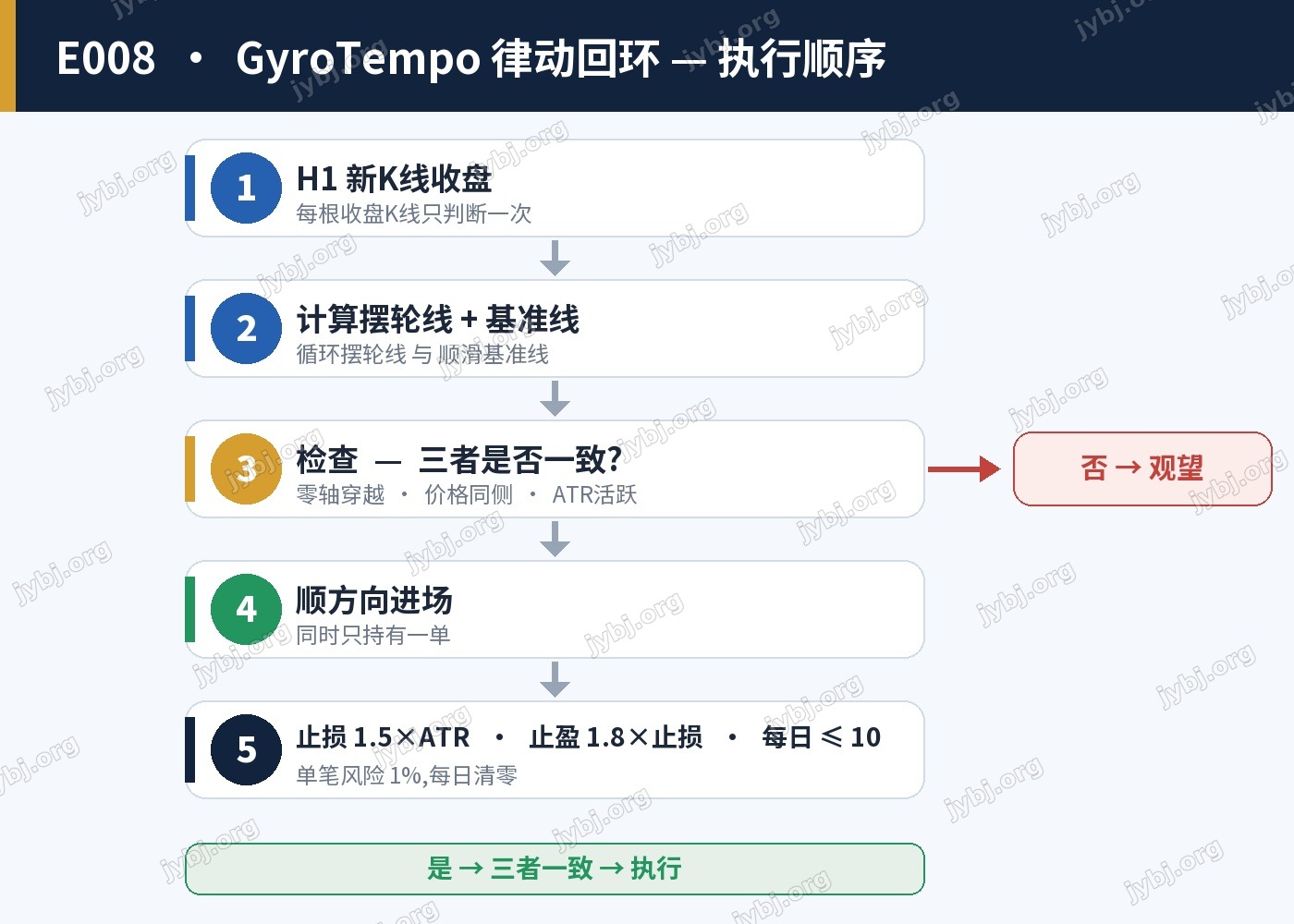
Execution flow 执行流程
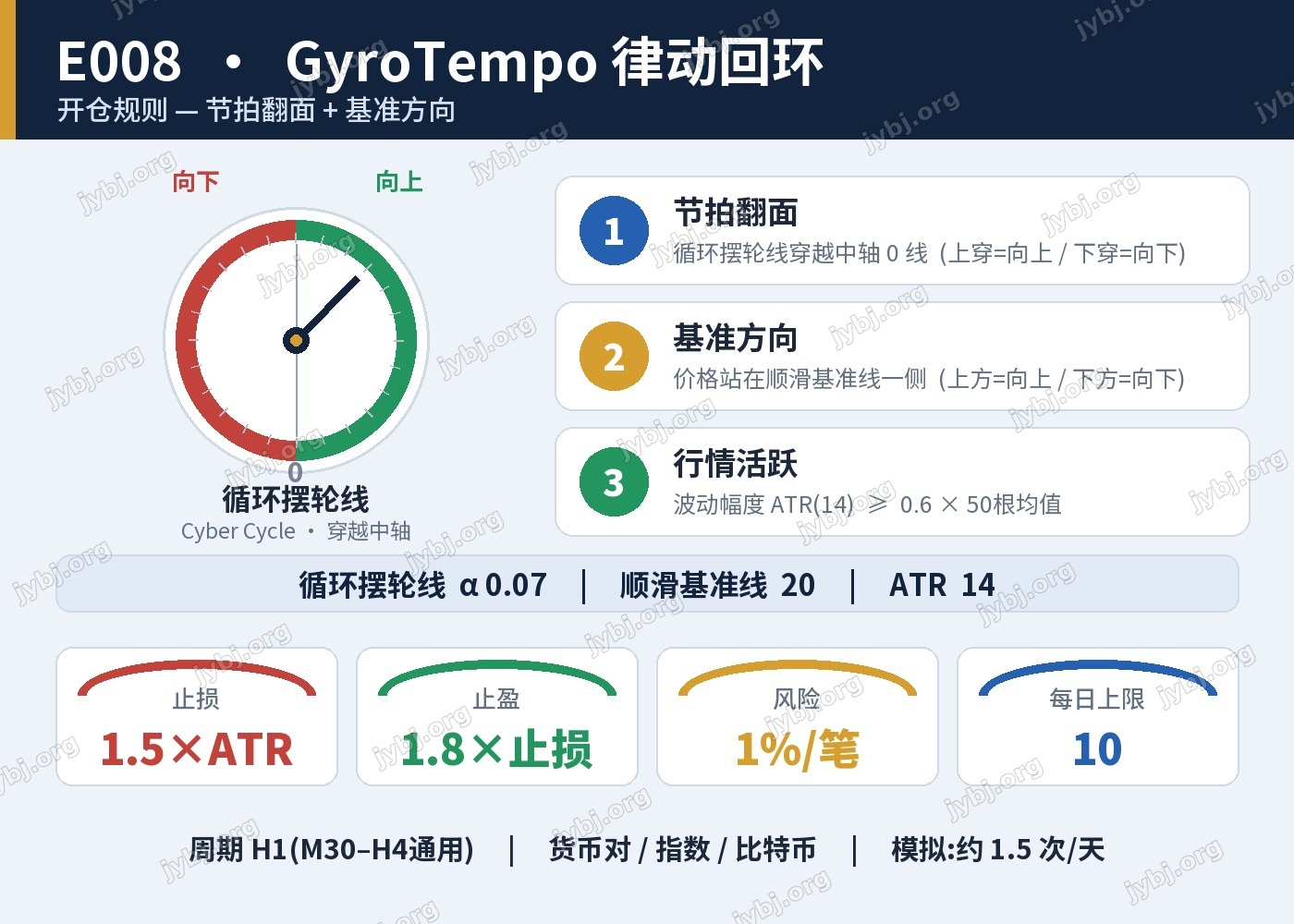
One decision per closed H1 bar; when the three agree, act — otherwise wait.
Risk management & parameters 参数设置
| Item | Default |
|---|---|
| Cyber Cycle alpha | 0.07 |
| SuperSmoother period | 20 |
| ATR period / activity window / factor | 14 / 50 / 0.6 |
| Protective exit (SL) | 1.5 × ATR |
| Target (TP) | 1.8 × Stop distance (RR 1.8) |
| Risk per plan | 1% of balance |
| Max plans / day · positions | 10 · one at a time |
Default set was simulation-checked at roughly 1.5 signals per day on H1. Always backtest 1–2 years of H1 data in the strategy tester before any live use.
[tv_minichart symbol=”XAUUSD”]
[mt5_calc_profit]
Source & Download
1. Place the EA file in
MQL5/Experts/ folder2. Add
https://jybj.org to WebRequest whitelist: Tools → Options → Expert Advisors → Allow WebRequest for listed URL3. One invite code = one account (non-transferable)
Ready to use · MT4 / MT5 · Parameters preconfigured 即开即用,参数已预设
Source code & compiled files: GitHub
Full documentation: Online strategy page
Live performance: View this strategy live →
Live Positions 实时持仓
[mt5_position magic=1069]
Related Trading Strategies
Want to compare more automated strategies? These related ones are worth a look:
- E007 MesaFlowPilot — Adaptive Cycle + Money Flow — related strategy — compare parameters and live positions
- E006 WaveHelm — Tide Cross + Force Confirm — related strategy — compare parameters and live positions
- RibbonThrust · E005 · Strategy Framework — related strategy — compare parameters and live positions
E008 Trading Strategy FAQ
Which symbols and timeframe does E008 suit?
E008 adapts to major FX and gold symbols; validate on demo first. Fine-tune for your broker’s spread and leverage, and rely on demo results before going live.
How do I download and run the E008 MT4/MT5 EA?
The Source & Download section provides compiled MT4/MT5 files and source. Drop it into MT5’s Experts folder, restart, and attach it to a chart — parameters are preset.
What are the risks of the E008 trading strategy?
No trading strategy guarantees profit; past and backtested results don’t predict the future. Run it on demo, cap per-trade and total risk, and understand the logic before trading live.
Further Reading
Risk Warning: The results shown are based on simulated or historical trading data. Past performance is not indicative of future results and does not constitute investment advice. Trading involves risk; please proceed with caution.
风险提示:本文所示为模拟/历史交易数据,过往表现不代表未来收益,不构成任何投资建议。