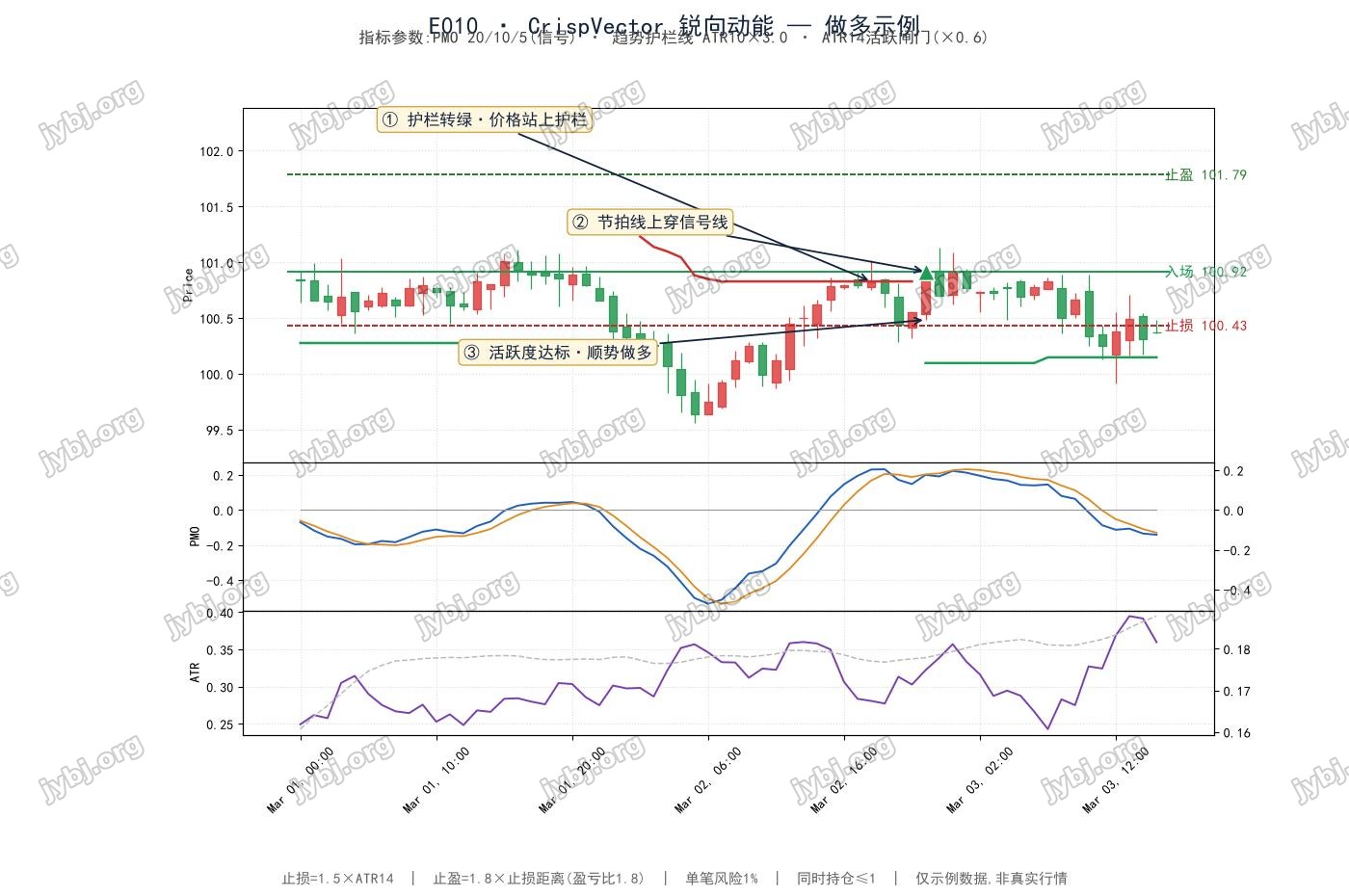
This article walks through E010 CrispVector, a E010 CrispVector trading strategy. It covers the strategy logic, signals and parameter settings, and ships ready-to-use MT4 / MT5 EAs with source download and live position tracking so you can evaluate and deploy it fast.
Magic 1071
[tv_ticker]
Core Idea
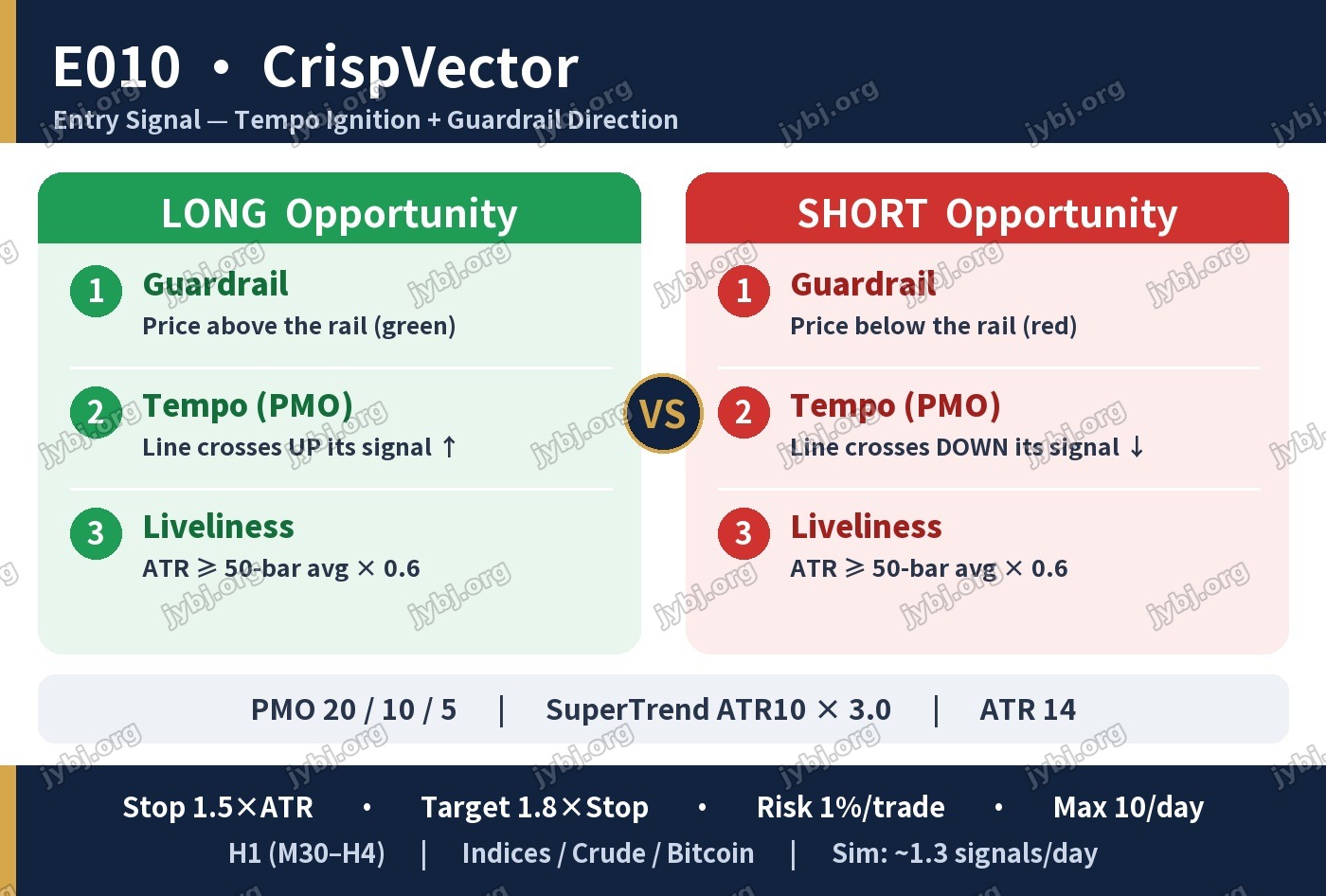
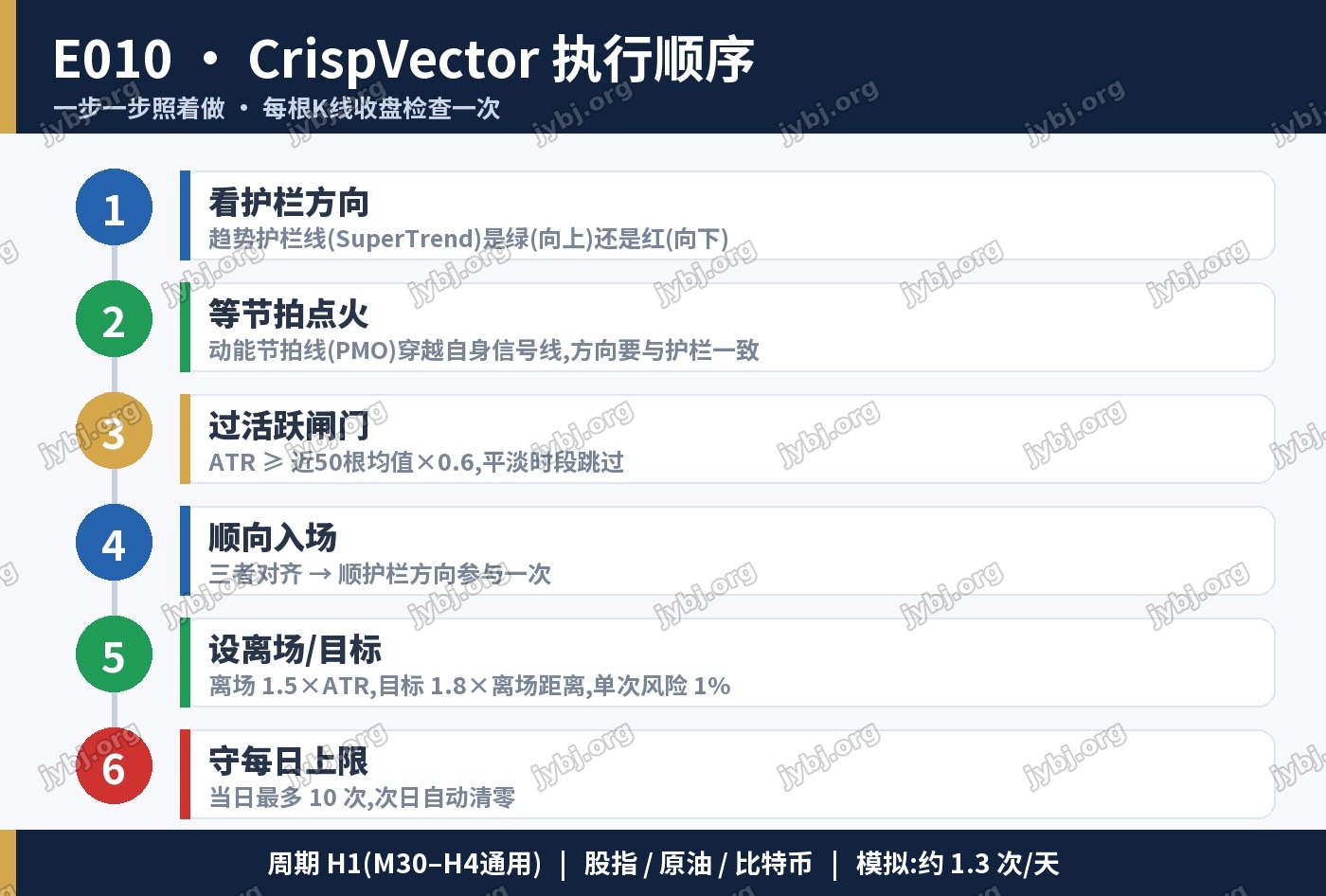
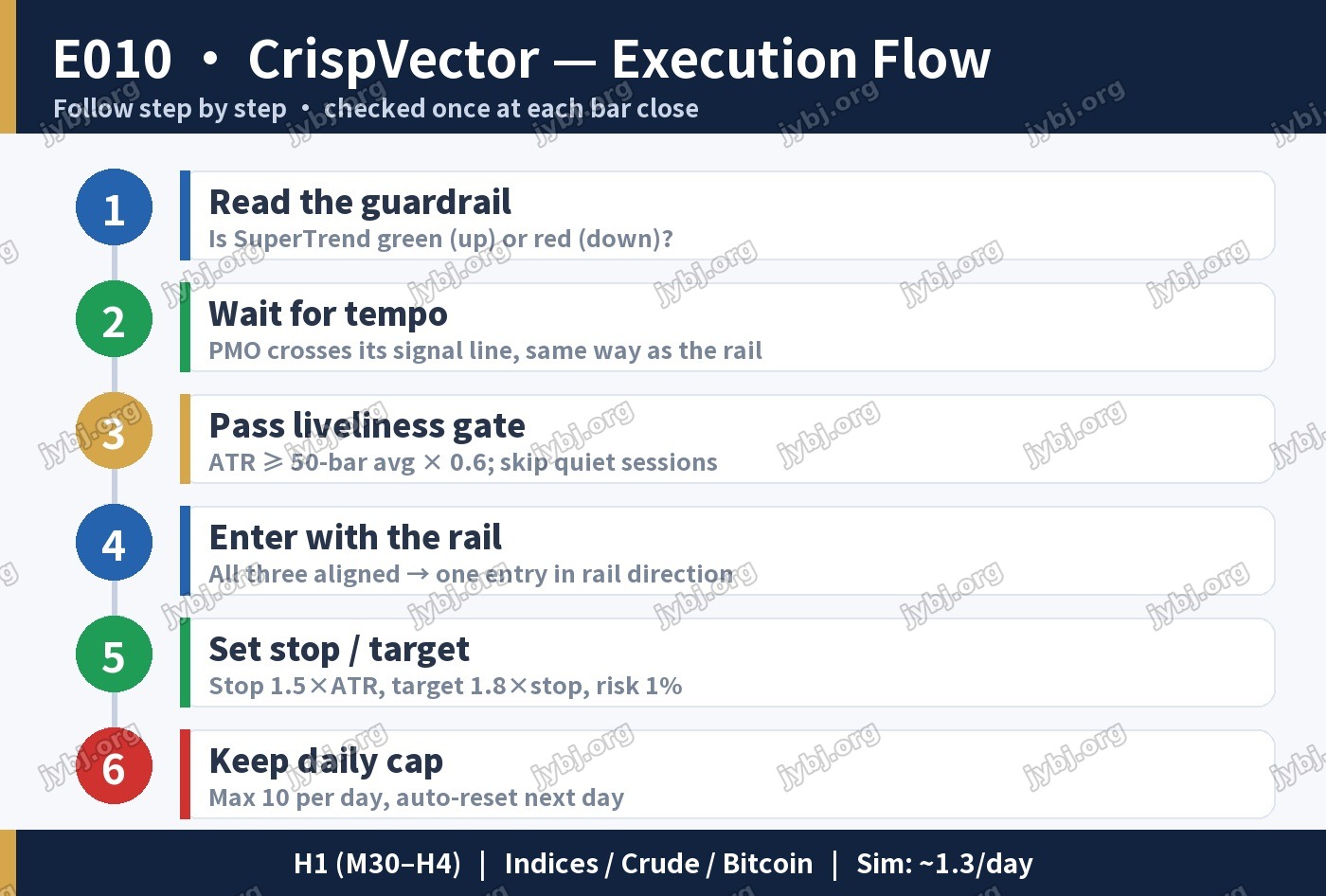
CrispVector reads the market with two clean gauges instead of a pile of indicators. The SuperTrend guardrail defines direction; the Price Momentum Oscillator (PMO) times the entry; an ATR liveliness gate keeps you out of dead sessions. All three must agree before a single entry is taken.
1
Direction Guardrail
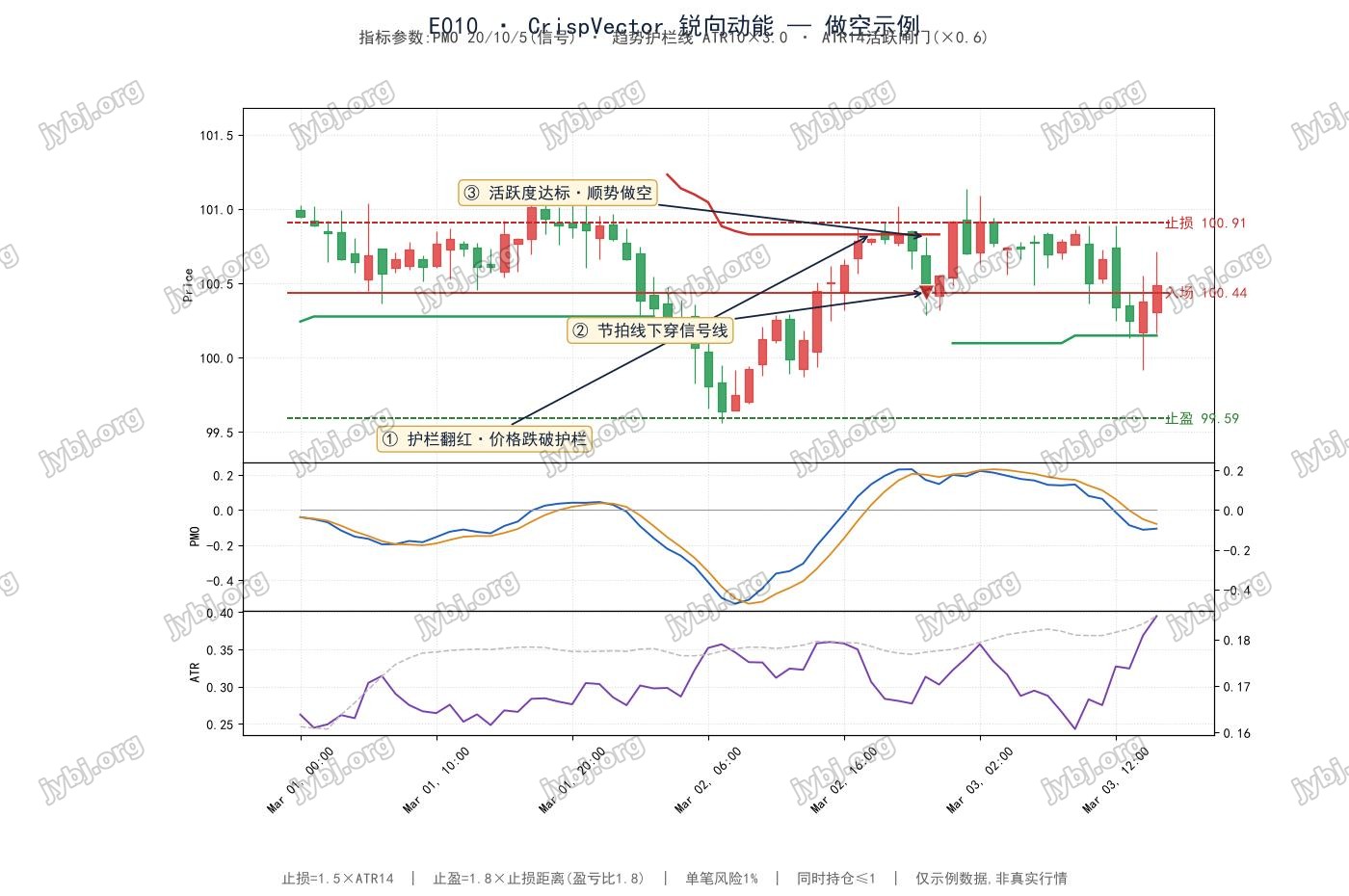
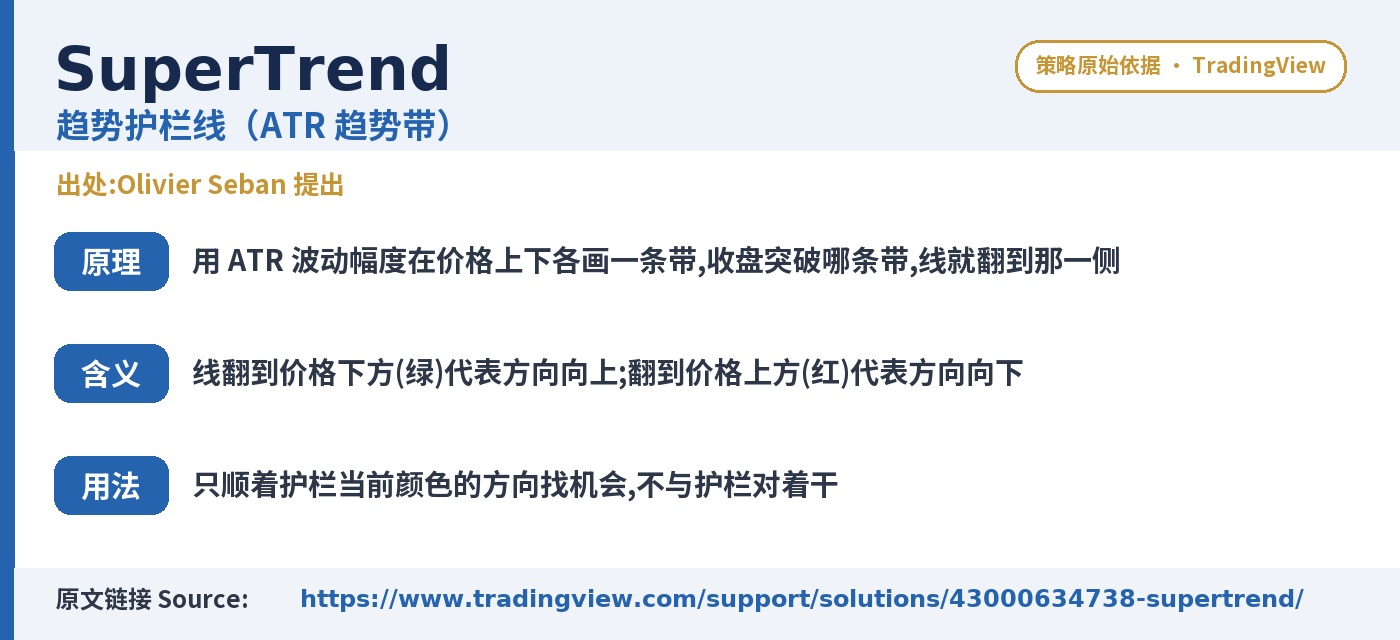
SuperTrend (ATR band) turns green above price (up-side) or red below (down-side). Trade only with the rail.
2
Momentum Tempo
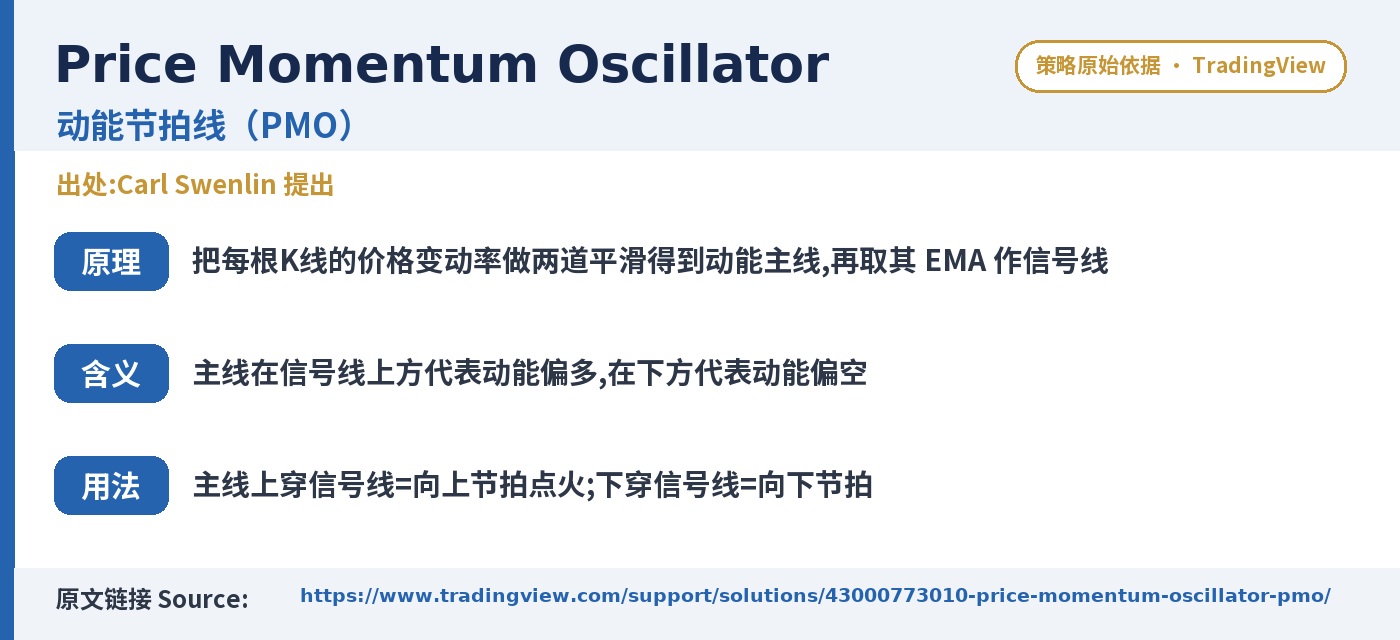
PMO — a double-smoothed rate-of-change line with its own signal line. A cross up is an up-beat; a cross down is a down-beat.
3
Liveliness Gate
Skip quiet ranges: ATR must be at least 0.6× its 50-bar average for an entry to qualify.
Participation Rules
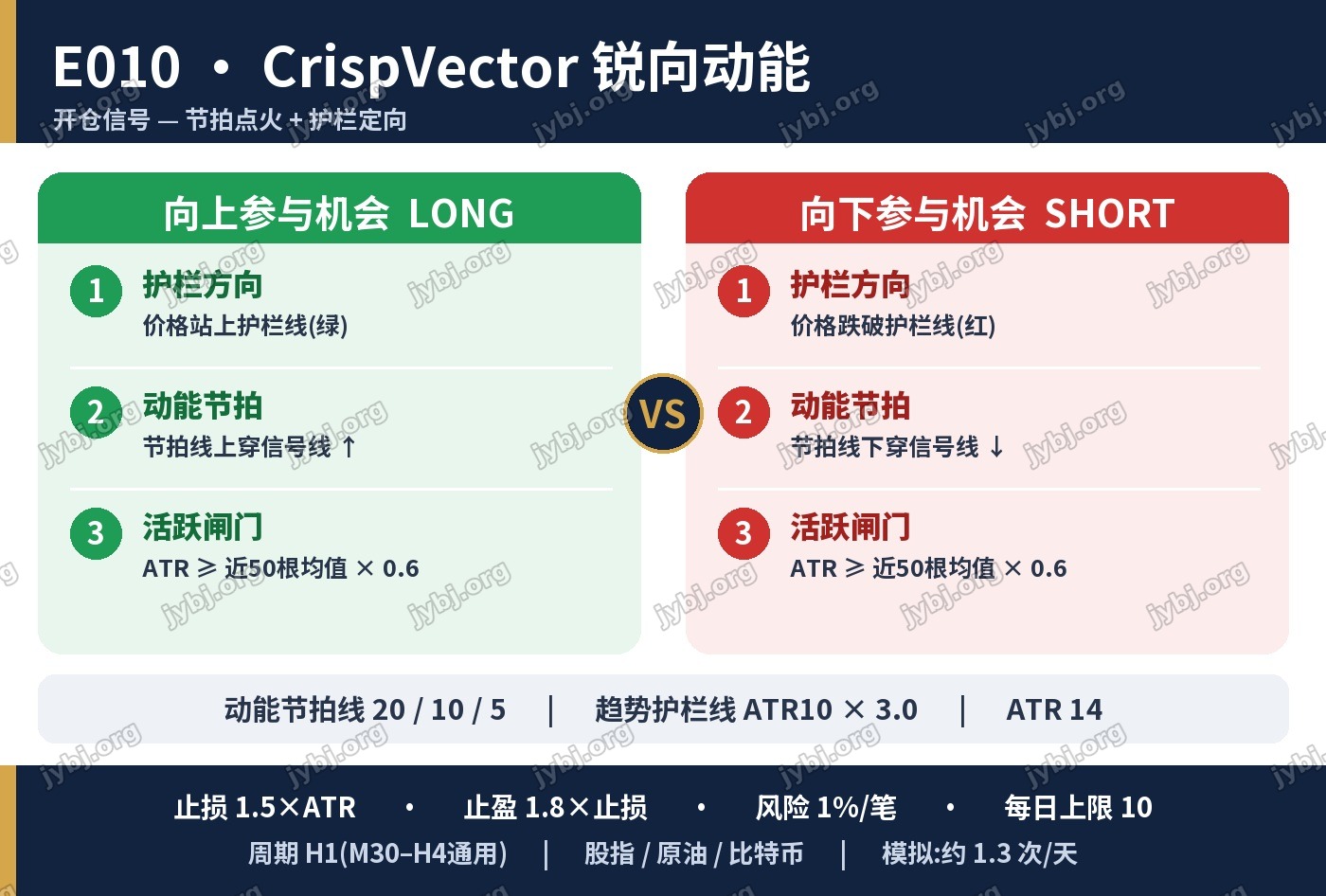
| Condition | LONG | SHORT |
|---|---|---|
| Guardrail | Price above rail (green) | Price below rail (red) |
| Tempo (PMO) | Crosses up its signal ↑ | Crosses down its signal ↓ |
| Liveliness | ATR ≥ 50-bar average × 0.6 | |
| Protective stop | 1.5 × ATR(14) from entry | |
| Target | 1.8 × stop distance (reward:risk ≈ 1.8) | |
| Sizing / cap | Risk 1% per entry · max 10 entries/day | |
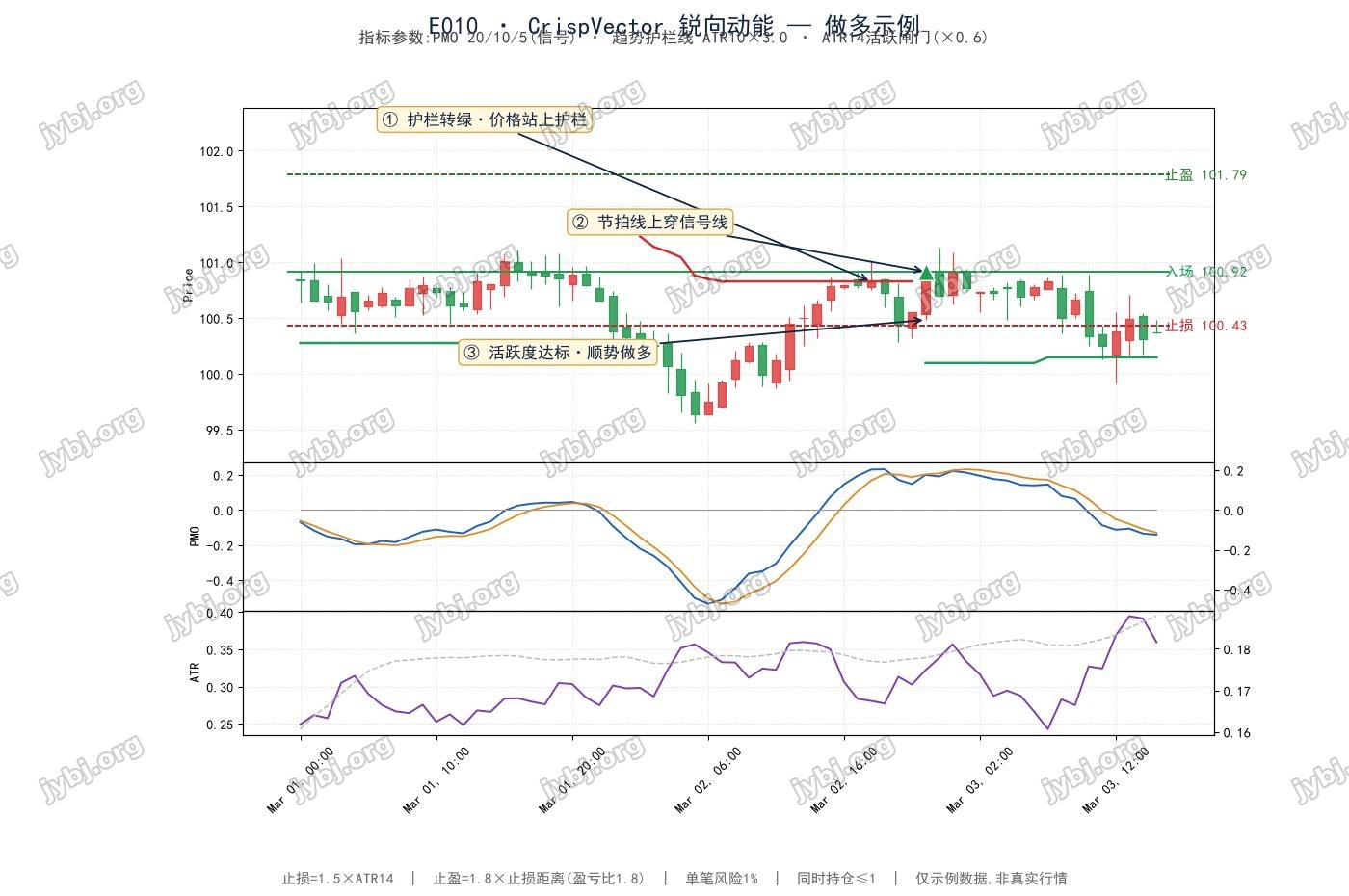
Parameters (defaults) 参数设置
PMO 20 / 10 / 5smoothing1 / smoothing2 / signal EMA
SuperTrend ATR 10 × 3.0ATR period × multiplier
ATR 14 · gate 0.6risk ATR · liveliness floor (50-bar avg)
Stop 1.5 · RR 1.8stop ATR mult · reward-to-risk
Magic 100010order tag · watchdog 3 days
Max 10 / daydaily entry ceiling, auto-reset
[tv_calendar]
Signal & Execution 信号判断
Risk note: This page is for study and research sharing only — not participation advice. Markets carry drawdown risk. Backtest 1–2 years of H1 data in your own tester and size conservatively. Past behavior never guarantees future outcomes.
[mt5_calc_position][mt5_calc_profit]
Source & Download
1. Place the EA file in
MQL5/Experts/ folder2. Add
https://jybj.org to WebRequest whitelist: Tools → Options → Expert Advisors → Allow WebRequest for listed URL3. One invite code = one account (non-transferable)
Ready to use · MT4 / MT5 · Parameters preconfigured 即开即用,参数已预设
Source code & compiled files: GitHub
Full documentation: Online strategy page
Live performance: View this strategy live →
Live Positions 实时持仓
[mt5_position magic=1071]
Related Trading Strategies
Want to compare more automated strategies? These related ones are worth a look:
- E009 KeelTrack — Trend-Fit + Strength Framework — related strategy — compare parameters and live positions
- E008 · GyroTempo — Rhythm Flip + Baseline Gate — related strategy — compare parameters and live positions
- E007 MesaFlowPilot — Adaptive Cycle + Money Flow — related strategy — compare parameters and live positions
E010 CrispVector Trading Strategy FAQ
Which symbols and timeframe does E010 CrispVector suit?
E010 CrispVector adapts to major FX and gold symbols; validate on demo first. Fine-tune for your broker’s spread and leverage, and rely on demo results before going live.
How do I download and run the E010 CrispVector MT4/MT5 EA?
The Source & Download section provides compiled MT4/MT5 files and source. Drop it into MT5’s Experts folder, restart, and attach it to a chart — parameters are preset.
What are the risks of the E010 CrispVector trading strategy?
No trading strategy guarantees profit; past and backtested results don’t predict the future. Run it on demo, cap per-trade and total risk, and understand the logic before trading live.
Further Reading
Risk Warning: The results shown are based on simulated or historical trading data. Past performance is not indicative of future results and does not constitute investment advice. Trading involves risk; please proceed with caution.
风险提示:本文所示为模拟/历史交易数据,过往表现不代表未来收益,不构成任何投资建议。